For freelancers and small agencies
Everything you agreed with your client. In one place.
Messages, files, tasks and approvals per project, split into topics. Your client opens it from a link and logs in with a code we email them, no password. You always see whose turn it is.
No card needed. Cancel any time.
The video is in Hungarian.
Sound familiar?
Your client wrote somewhere. You just don't know where.
Five places to talk
Email, chat apps, phone, comments in shared docs. Finding a question takes longer than answering it.
Lost files
The logo is attached to an email from three weeks ago. Or the other one.
Nobody knows whose turn it is
You wait for the client, the client waits for you. Meanwhile the project stalls.
"That's not what I asked for"
The approval happened on a call. Afterwards you have nothing to show.
That is how deadlines slip, extra work goes unpaid and projects end on a bad note.
How it works
One project, with topics. Every topic is a conversation.
-
1
Create the project
Add the client and their contacts. It takes a minute.
-
2
Send the link
Your client gets it by email. When they open it, they log in with an emailed code, no account or password. They see the project's topics and can start a new request.
-
3
Work topic by topic
Write, share files, hand out tasks, ask for approvals. Every topic shows whose turn it is.
What it looks like
What daily client work needs. Nothing more.
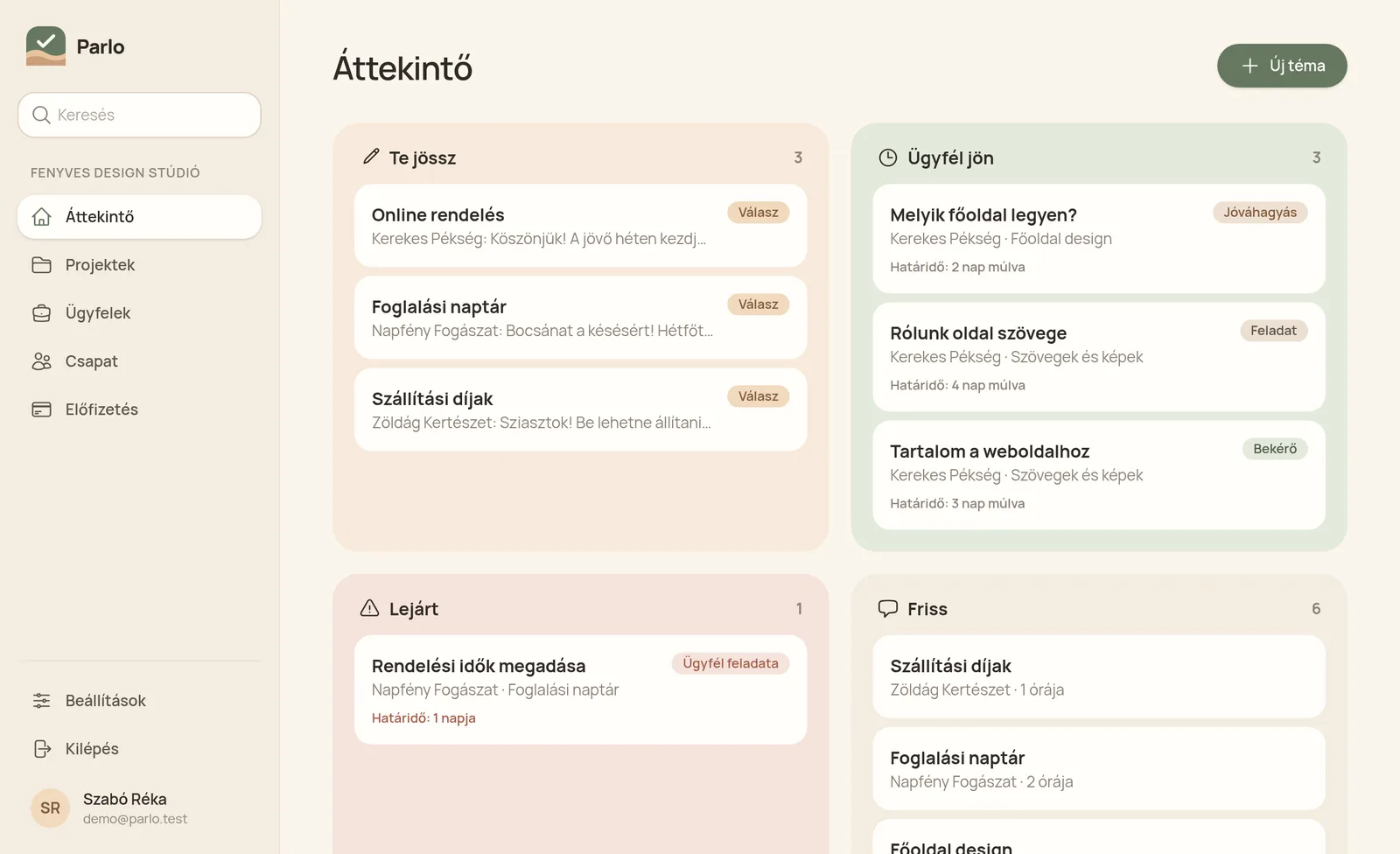
Overview
One look in the morning: whose turn is it?
Three columns: what waits for you, what waits for the client, and what is late. No need to check five places to see who you owe a reply.
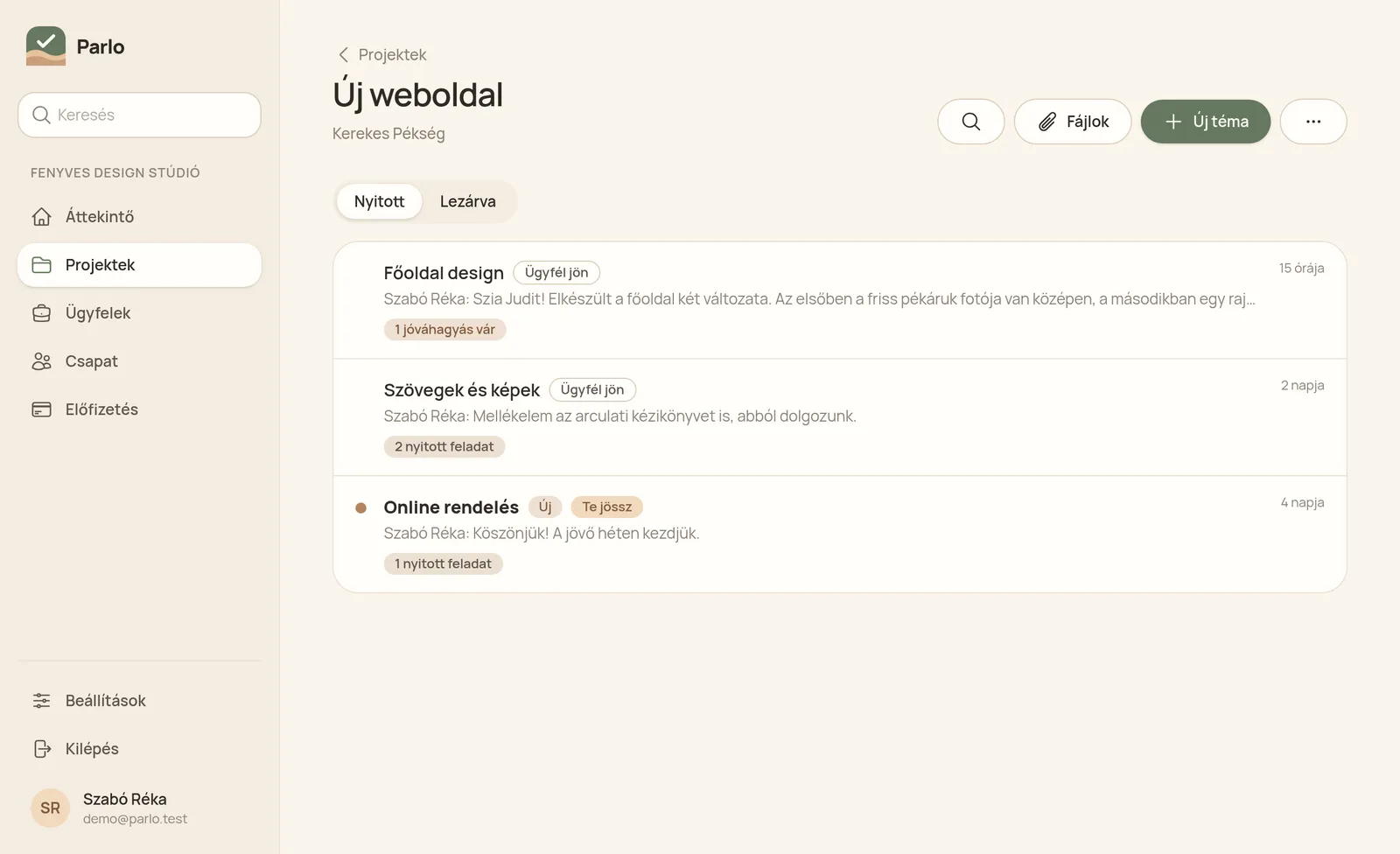
Topics
Topics per project, each with its own conversation.
The homepage and the invoice never get mixed up. Every topic shows whose turn it is and how many open tasks it has.
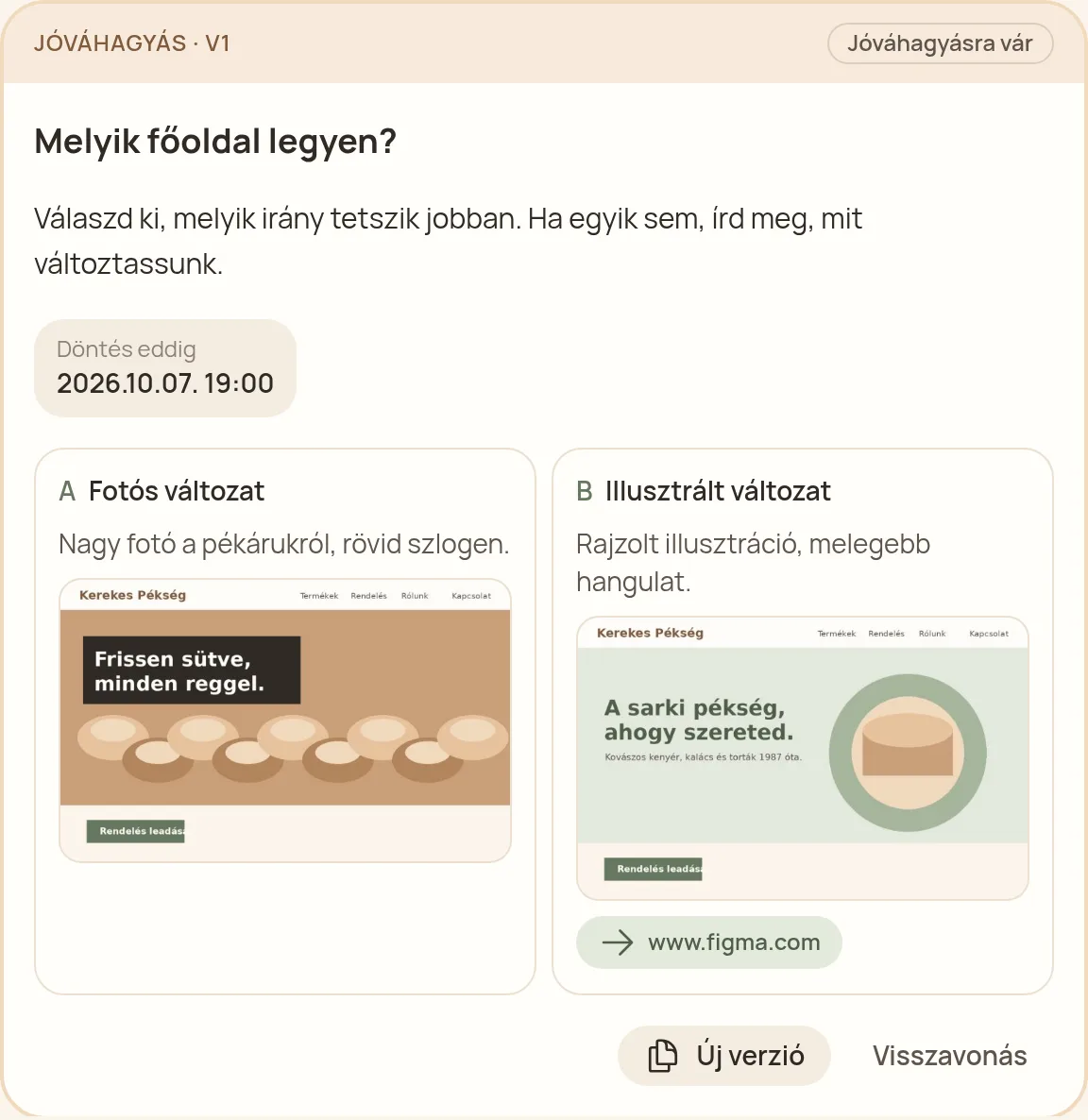
Approvals
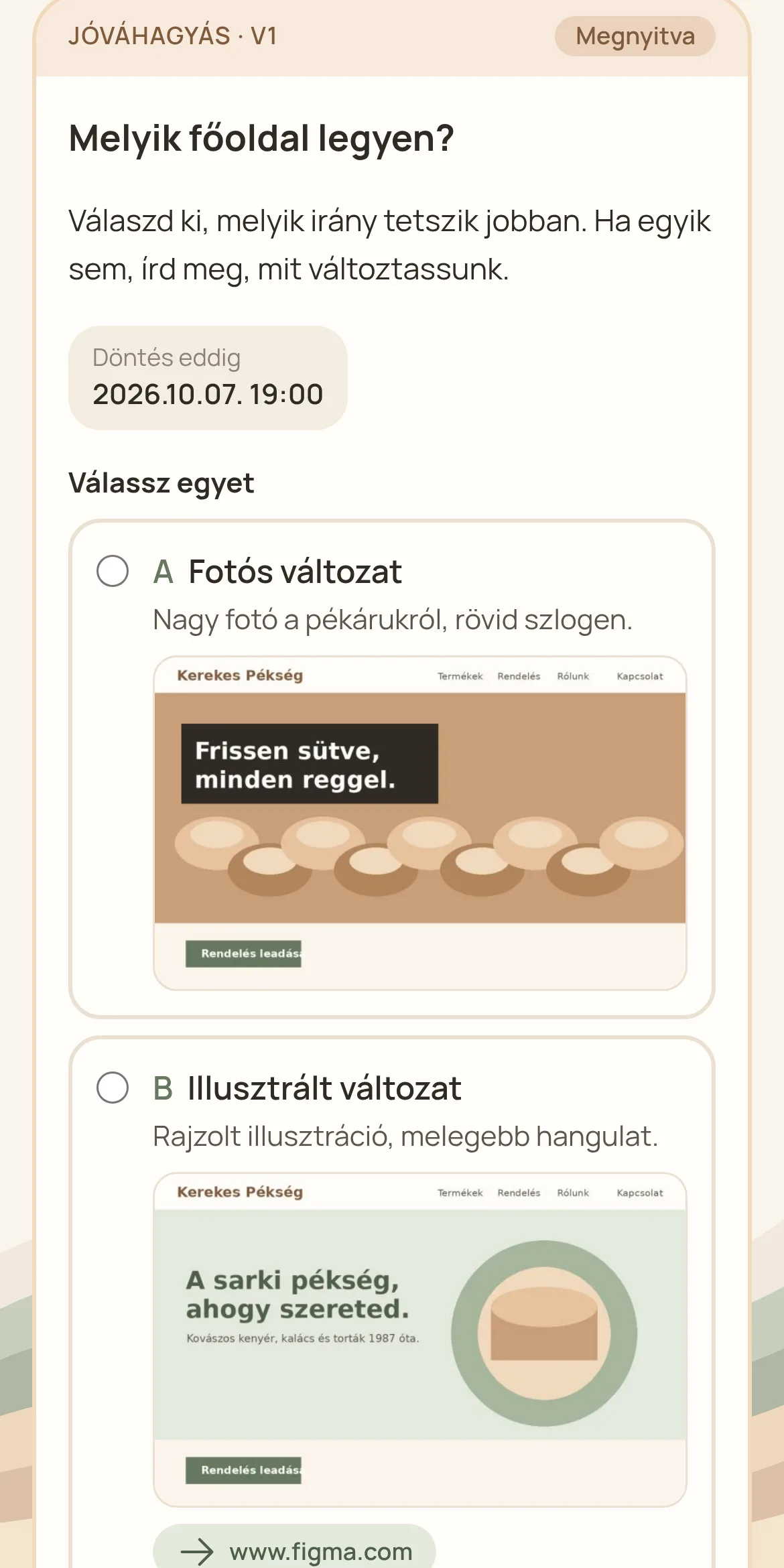
Options with images. The client decides with one click.
Images, videos or links, price impact, deadline. If they ask for changes, you send a new version. Every decision goes into the log with a timestamp.
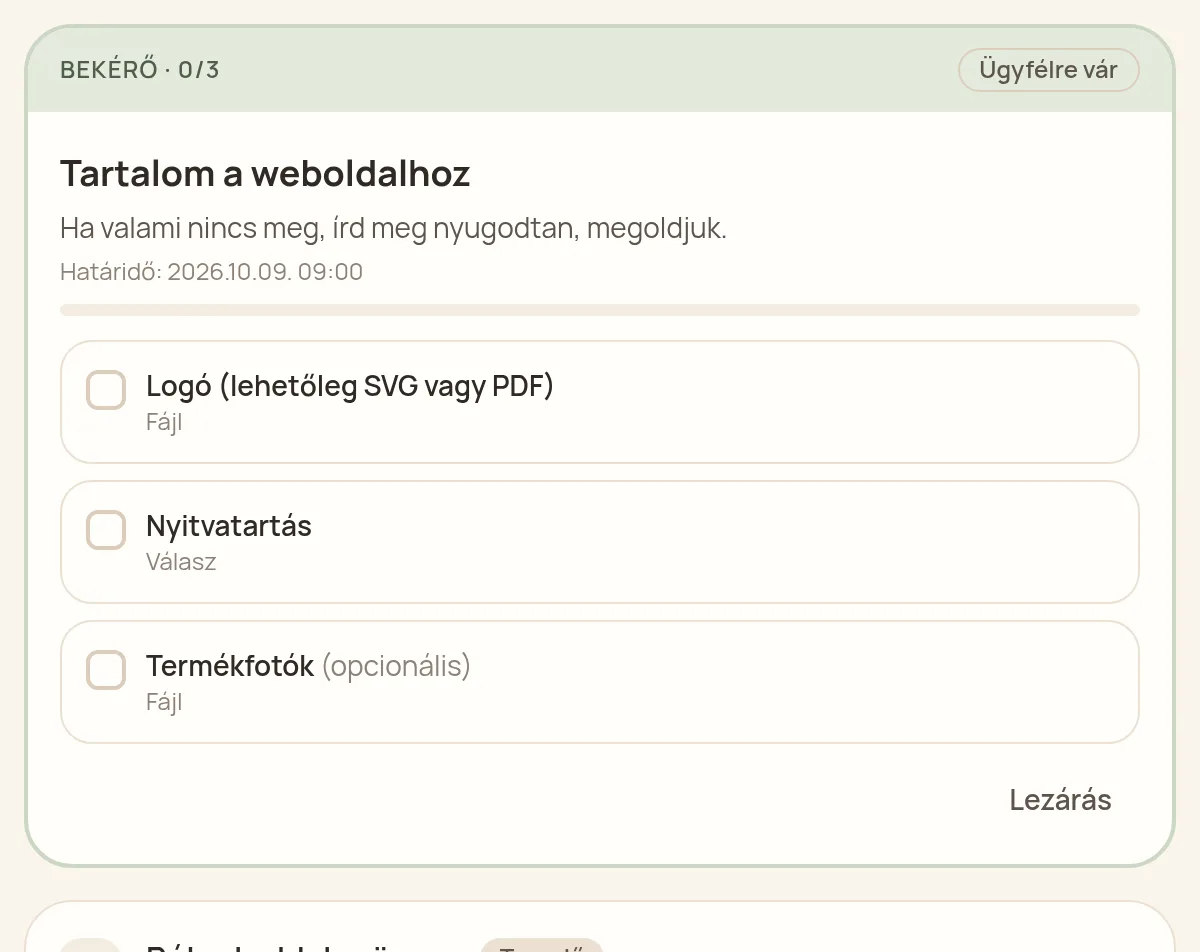
Checklists and tasks
List what you need, point by point.
The client sends each file or answer separately, and you see what is still missing. Tasks show who does what and by when.
Client view
For the client: a link and a code.
Easy on a phone: read, choose, approve. No account and no password, they log in with a code sent by email.
Files in their place
The file sits where it was discussed, and in the file library. Large videos too, stored privately.
Reminders
Automatic reminders before and after the deadline, to the second contact too if needed.
Log and PDF
Every event with a timestamp in a log nobody can edit. Download it as a PDF per project.
Reply by email
If the client replies to a notification email, the reply lands in the topic.
Team
Invite your colleagues and assign tasks to them by name.
Security
Emailed login code for clients, encrypted connection, EU servers.
The solution
One click instead of a problem.
Five places to talk
One link for your client
They see every topic, reply, upload and start new requests. No account, no password, just an emailed code.
Nobody knows whose turn it is
You can see who's next
Every topic shows who it is waiting for. The dashboard shows what waits for you and for the client.
Forgotten deadlines
Automatic reminders
The client gets reminders before and after the deadline. You don't have to chase them.
"That's not what I asked for"
Log and PDF
Every message, task and decision is logged and cannot be edited. In a dispute you download the PDF.
Through your client's eyes
Just a link for them. Order for you.
- No sign-up and no password to remember: they get a login code by email.
- If the link ends up in the wrong hands, nobody gets in: the code only goes to their email.
- Works well on a phone: read, reply, approve.
- They see what waits for them, and until when.
- They can start a new request without writing an email.
- They get a copy of their decision by email.
Pricing
You pay, your client never does. You get an invoice and pay in Hungarian forint.
Free
HUF 0 forever
- 2 active projects
- 1 user
- 2 GB storage
- unlimited clients
- no PDF export, Parlo badge for clients
Solo
HUF 4,490 / month + VAT
HUF 44,900 a year, two months free.
- 10 active projects
- 1 user
- 50 GB storage
- unlimited clients
- PDF export of the log
- your logo for your clients
- Parlo badge for clients
Studio
HUF 10,990 / month + VAT
HUF 109,900 a year, two months free.
- unlimited active projects
- 3 team members included, add more
- 500 GB storage
- unlimited clients
- PDF export of the log
- your logo for your clients
- no Parlo badge
Add-ons for paid plans
Billed with your plan, removable any time. Storage lives on Cloudflare R2, so it comes in big, cheap blocks.
- Extra team member (Studio)
- HUF 2,990 / month
- +100 GB storage
- HUF 1,990 / month
- +1 TB storage (Studio)
- HUF 11,490 / month
All prices are net. Everything in Studio is included during the 14-day trial. If you don't subscribe, you move to Free and nothing is deleted.
Questions
Does my client need an account?
No. They get a personal link by email. When they open it, we send a 6-digit code to their address and they log in with it, no password. Then they reach everything: topics, messages, files, tasks, approvals. They can also log in without a link with the "Client login" button.
What if the link leaks?
On its own it opens nothing. Logging in also needs the code we email to your client. We remember the browser for 30 days, and you can revoke the link any time.
What if several agencies use Parlo with the same client?
No mix-ups. After "Client login" they see a list of the companies and projects they are part of, and pick one.
Isn't this just another chat?
No. There are topics per project, with tasks that have deadlines and approvals that get decisions. Every topic shows whose turn it is, and nothing gets buried in a long conversation.
What if the client replies by email anyway?
No problem: if they reply to a notification email, the reply lands in the topic. They do not need to log in for that.
How much does an approval count as proof?
The decision goes into the log with a timestamp and the exact version. The log cannot be edited and can be downloaded as PDF. It is not a qualified electronic signature, but in a dispute it is far more than a phone call.
Where is the data stored?
On servers in the European Union. We process your clients' data on your behalf; the data processing terms are part of the Terms of Service.
What happens after the trial?
If you don't subscribe, you move to Free: two active projects, one user, 2 GB storage. You keep your data, nothing is deleted. You can cancel any time, there is no minimum term.
What if I go over my plan?
Nothing is deleted, and your clients' links keep working. You just cannot open another active project, invite another team member or upload above your storage until you close something or add on.
What does my client see of Parlo?
On Free and Solo there is a small "Parlo" badge at the bottom of the client portal and the notification emails. From Solo your own logo shows too. On Studio the badge is gone and your client sees only you.
Do I get an invoice?
Yes, you get an invoice. You pay by card in Hungarian forint (HUF).
Another question? Write to us: andras@szentivanyi.dev
Try it on your next project.
The first topic takes two minutes. Your client only clicks a link and types a code.
Try it free